
Optimizing Your Workspace: Ergonomic Principles for Comfort and Well-being
In today's fast-paced world, many individuals spend a significant portion of their day at a desk, whether for work, study, or leisure. The sustained postures and repetitive tasks associated with computer use can, over time, contribute to various forms of physical discomfort, ranging from neck and back pain to eye strain and carpal tunnel syndrome. However, these common issues are not an inevitable part of modern living. By understanding and implementing fundamental ergonomic principles, individuals can proactively transform their workspace into an environment that supports their body's natural alignment, reduces strain, and fosters long-term well-being. Optimizing a workspace is not merely about purchasing specialized equipment; it involves a holistic approach to how your body interacts with its immediate surroundings, focusing on adjustability, proper positioning, and regular movement to create a comfortable, efficient, and healthy daily routine. This guide will explore key ergonomic considerations, offering practical insights to help you set up a workspace that actively works for your health, rather than against it, ensuring that your smart everyday choices extend to every aspect of your living by preventing common aches and promoting a more sustainable approach to daily tasks and productivity.
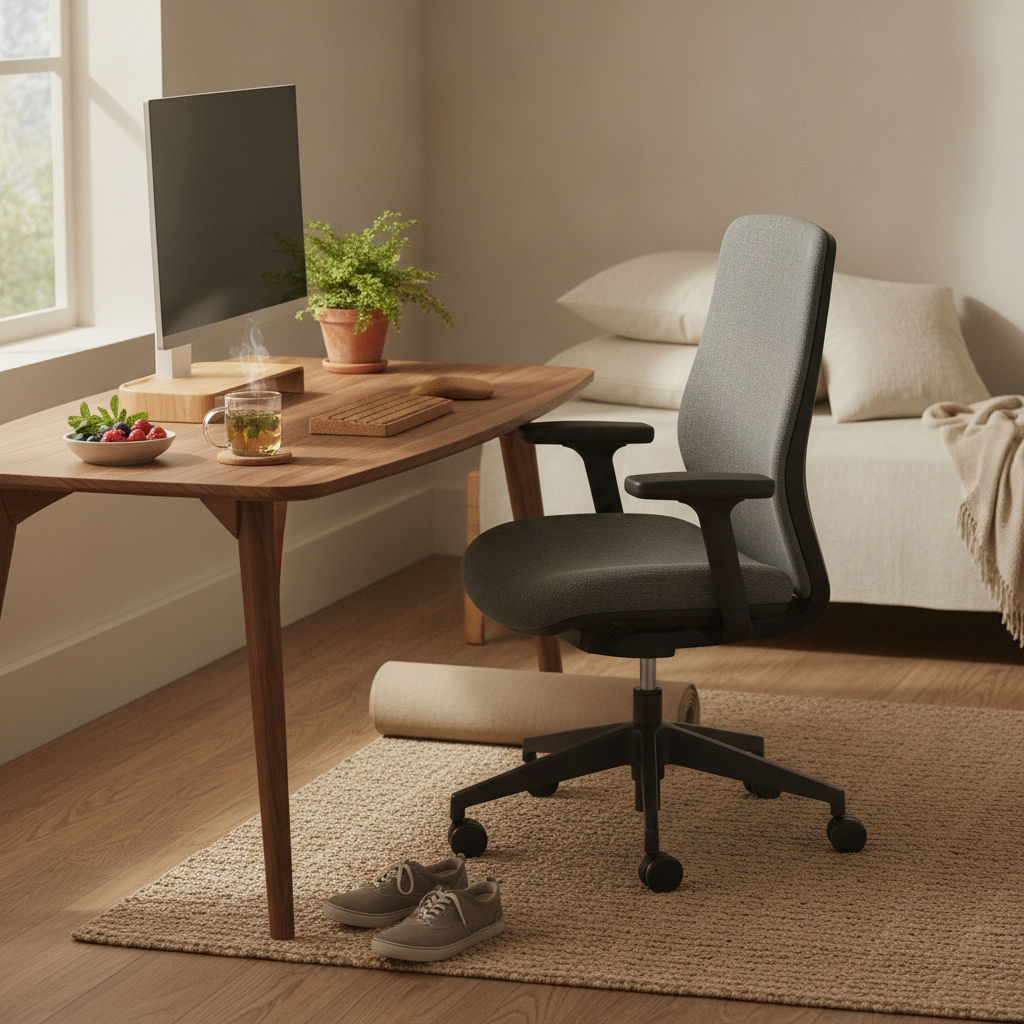
Understanding Ergonomics in the Workspace
Ergonomics is the scientific discipline concerned with the understanding of interactions among humans and other elements of a system, and the profession that applies theory, principles, data, and methods to design in order to optimize human well-being and overall system performance. In simpler terms, it's about designing and arranging things people use so that the people and things interact most efficiently and safely. Applied to a workspace, ergonomics focuses on tailoring your environment to fit your body, rather than forcing your body to adapt to an ill-fitting environment.
What is Ergonomics?
At its core, ergonomics seeks to minimize physical stress and discomfort by optimizing the fit between a person and their work environment. This includes the design of furniture, tools, and processes. The goal is to enhance comfort, efficiency, and safety, thereby reducing the risk of musculoskeletal disorders (MSDs) and other health issues that can arise from poor posture, repetitive motions, and prolonged static positions. It considers factors such as anthropometry (body measurements), biomechanics (body movement), and psychology (mental workload).
Why Ergonomics Matters
Investing time in setting up an ergonomic workspace offers a multitude of benefits that extend beyond mere comfort. Firstly, it significantly reduces the likelihood of developing chronic pain, such as back pain, neck stiffness, and carpal tunnel syndrome, which can severely impact quality of life and productivity. Secondly, an ergonomically optimized setup can boost efficiency and focus, as reduced discomfort allows for greater concentration on tasks. Thirdly, it promotes better circulation and reduces fatigue, contributing to increased energy levels throughout the day. Ultimately, a well-designed workspace supports long-term health, making it a wise choice for anyone who spends considerable time at a desk.
Key Ergonomic Principles for Your Setup
Achieving an ergonomic workspace involves attention to several critical components, each playing a vital role in supporting a healthy posture and reducing strain. Approaching your setup systematically can make a significant difference.
The Chair: Foundation of Support
Your office chair is perhaps the most crucial piece of ergonomic equipment. A good ergonomic chair should offer extensive adjustability to accommodate individual body types and preferences. Key features to look for include: seat height adjustment, allowing your feet to be flat on the floor or on a footrest with knees at a 90-degree angle; lumbar support that matches the curve of your lower back; backrest recline and tension control; and adjustable armrests that support your forearms while keeping your shoulders relaxed and elbows at approximately 90-100 degrees. The seat pan should allow for about two to four inches between the front edge of the seat and the back of your knees, preventing pressure on your circulation.
Desk Configuration: Height and Space
The ideal desk height allows you to sit or stand with your forearms parallel to the floor, without shrugging your shoulders or leaning forward. For many, a fixed-height desk may require adjustments using a keyboard tray or monitor risers. Standing desks, or sit-stand desks, offer the flexibility to alternate between sitting and standing throughout the day, which is highly recommended for reducing the negative effects of prolonged static posture. Ensure there's ample space under your desk for your legs to move freely and that frequently used items are within easy reach, minimizing unnecessary stretching or twisting.
Monitor Placement: Eye Level and Distance
Proper monitor placement is essential for preventing eye strain and neck discomfort. Position your monitor directly in front of you, with the top of the screen at or slightly below eye level. This encourages a neutral neck posture. The distance from your eyes to the screen should be about an arm's length away, typically 20-30 inches (50-75 cm). If you use multiple monitors, arrange them closely to minimize head turning, with the primary monitor centered and secondary screens angled towards you. Adjust text size and brightness to suit your vision, and consider an anti-glare filter if needed.
Keyboard and Mouse: Neutral Posture
Your keyboard and mouse should be positioned close to your body to avoid reaching, which can strain your shoulders and wrists. When typing or mousing, your wrists should remain straight and neutral, not bent up, down, or to the side. Consider using an ergonomic keyboard, which may feature a split design or a slight tenting to promote a more natural wrist position. A comfortable mouse that fits your hand size can also reduce strain; vertical mice are an option for some. Wrist rests can be beneficial if used correctly – they should support the heel of your hand, not your wrist, and only during pauses, not while actively typing or mousing.
Lighting: Reducing Eye Strain
Good lighting is crucial for visual comfort and reducing eye fatigue. Ideally, your workspace should utilize natural light, positioned perpendicular to your screen to avoid glare. If natural light is insufficient, use overhead ambient lighting that is evenly distributed. Task lighting, such as a desk lamp, can be used to illuminate documents without creating glare on your screen. Avoid harsh overhead lights that cause reflections or shadows, and ensure your monitor's brightness is balanced with the room's ambient light to prevent your eyes from constantly adjusting to different light levels.
Accessories and Peripherals
Beyond the core setup, several accessories can further enhance ergonomic comfort. A document holder, placed at the same height and distance as your monitor, can prevent neck strain from constantly looking down at papers. A footrest can be beneficial if your feet don't comfortably rest flat on the floor after adjusting your chair height, helping maintain proper leg and back alignment. Headsets are recommended for phone calls to avoid cradling the phone between your ear and shoulder. Cable management is also important, not just for aesthetics but to prevent tripping hazards and ensure clear movement around your desk.
Incorporating Movement and Breaks
Even with the most perfectly optimized ergonomic setup, prolonged static posture is detrimental to health. Regular movement and breaks are integral to a truly ergonomic approach to your workday.
The Importance of Micro-Breaks
Taking short, frequent breaks is more effective than taking fewer, longer breaks. Aim for a micro-break every 30-60 minutes, even if it's just for 1-2 minutes. During these breaks, stand up, stretch, walk a few steps, or simply change your sitting posture. These brief interruptions help improve blood circulation, reduce muscle fatigue, and prevent stiffness. They also offer a mental refresh, enhancing focus upon returning to your task.
Standing and Movement
If you have a sit-stand desk, make an effort to alternate between sitting and standing throughout the day. A common recommendation is to stand for 15-30 minutes for every 30-60 minutes of sitting. When standing, ensure your posture is still aligned – shoulders relaxed, core engaged, and weight evenly distributed. Incorporate short walks, even if it's just to get a glass of water or visit a colleague, to further encourage movement.
Eye Exercises
To combat digital eye strain, follow the 20-20-20 rule: every 20 minutes, look at something 20 feet away for at least 20 seconds. This helps relax your eye muscles and reduces fatigue. Blinking frequently is also important to keep your eyes moist. If you find your eyes are consistently dry or irritated, consider consulting an eye care professional.
Common Ergonomic Mistakes to Avoid
Even with good intentions, certain habits can undermine an otherwise well-designed ergonomic workspace. Awareness of these common pitfalls can help maintain optimal comfort and health.
Slouching or Leaning
One of the most frequent mistakes is slouching or leaning forward, especially when engrossed in a task. This puts immense pressure on your spine and neck. Actively remind yourself to sit with your back against the chair's backrest, utilizing the lumbar support. If you find yourself leaning, check your monitor distance and keyboard placement – you might be reaching too far.
Reaching or Twisting
Frequently reaching for your mouse, keyboard, phone, or other items placed too far away can strain your shoulders, arms, and back. Similarly, twisting your torso to access items can lead to discomfort. Ensure all frequently used items are within an easy, natural reach. Your core work zone should be directly in front of you, with less frequently used items placed slightly further out but still accessible without excessive stretching.
Prolonged Static Postures
As mentioned, staying in any single posture for too long, even an ergonomically correct one, is not ideal. The human body is designed for movement. Avoid becoming so absorbed in your work that you forget to shift positions or take breaks. Set reminders on your computer or phone to prompt you to move and stretch regularly.
Sustaining an Ergonomic Lifestyle
Ergonomics isn't a one-time setup; it's an ongoing practice. Regularly assessing and adjusting your workspace and habits is key to long-term comfort and well-being.
Regular Self-Assessment
Periodically check your posture and workspace setup. Are your feet flat? Are your wrists straight? Is your monitor at eye level? Does anything feel uncomfortable or strained? Your body's needs might change over time, or you might develop new habits that require adjustments. A quick self-assessment can help catch issues before they become chronic problems.
Listening to Your Body
Pay attention to any aches, pains, or discomfort. These are signals that something in your setup or habits might need attention. Don't ignore persistent discomfort; address it promptly. Early intervention can prevent minor issues from escalating into more serious conditions. Consider making small adjustments to your chair, desk, or work routine if you notice new discomfort.
Professional Consultation
If you experience chronic or severe pain, numbness, or tingling, or if you're unsure about the best ergonomic solutions for a specific condition, it is advisable to consult a qualified healthcare professional or an ergonomics specialist. They can provide personalized advice and recommendations tailored to your individual health needs and work demands. While general principles are widely applicable, specific health conditions may require specialized adjustments.
By consciously applying ergonomic principles to your workspace and incorporating regular movement into your daily routine, you can significantly enhance your physical comfort, reduce the risk of work-related injuries, and cultivate a healthier, more productive approach to your daily tasks. Prioritizing an ergonomic setup is a smart everyday choice that supports your long-term health and overall quality of life, transforming your workspace into a true ally for your well-being.
More from wellness

The Critical Link Between Temperature and Restorative Sleep
Understanding how body and room temperature impact sleep is crucial for improving rest. This article explores the science behind temperature regulation and offers practical strategies for creating an ideal sleep environment, leading to more restorative nights.

Simple Self-Massage Techniques for Everyday Muscle Tension Relief
Discover accessible self-massage techniques to alleviate daily muscle tension and foster relaxation. Learn how to address common areas of discomfort using only your hands or simple tools, enhancing your overall well-being with practical, at-home methods.

The Role of Proprioception in Movement Control and Balance Stability
Proprioception is the body's internal sense of its position, movement, and exerted force. This fundamental sensory system is crucial for coordinated motion, maintaining postural control, and achieving equilibrium in daily activities.

The Physiological and Metabolic Contributions of Consistent Non-Exercise Physical Activity
Non-exercise activity thermogenesis (NEAT) involves the energy expended through daily movements not classified as structured exercise. This article explores the physiological and metabolic mechanisms through which consistent, incidental physical activity impacts overall health and wellness.