
Optimizing Your Home Network for Seamless Smart Device Integration
The modern home is increasingly interconnected, with smart devices ranging from thermostats and lighting to security cameras and entertainment systems. For these devices to function seamlessly and reliably, a robust and optimized home network is not merely a luxury but a fundamental necessity. A weak or poorly configured network can lead to frustrating delays, dropped connections, and even security vulnerabilities, undermining the very convenience smart technology promises.
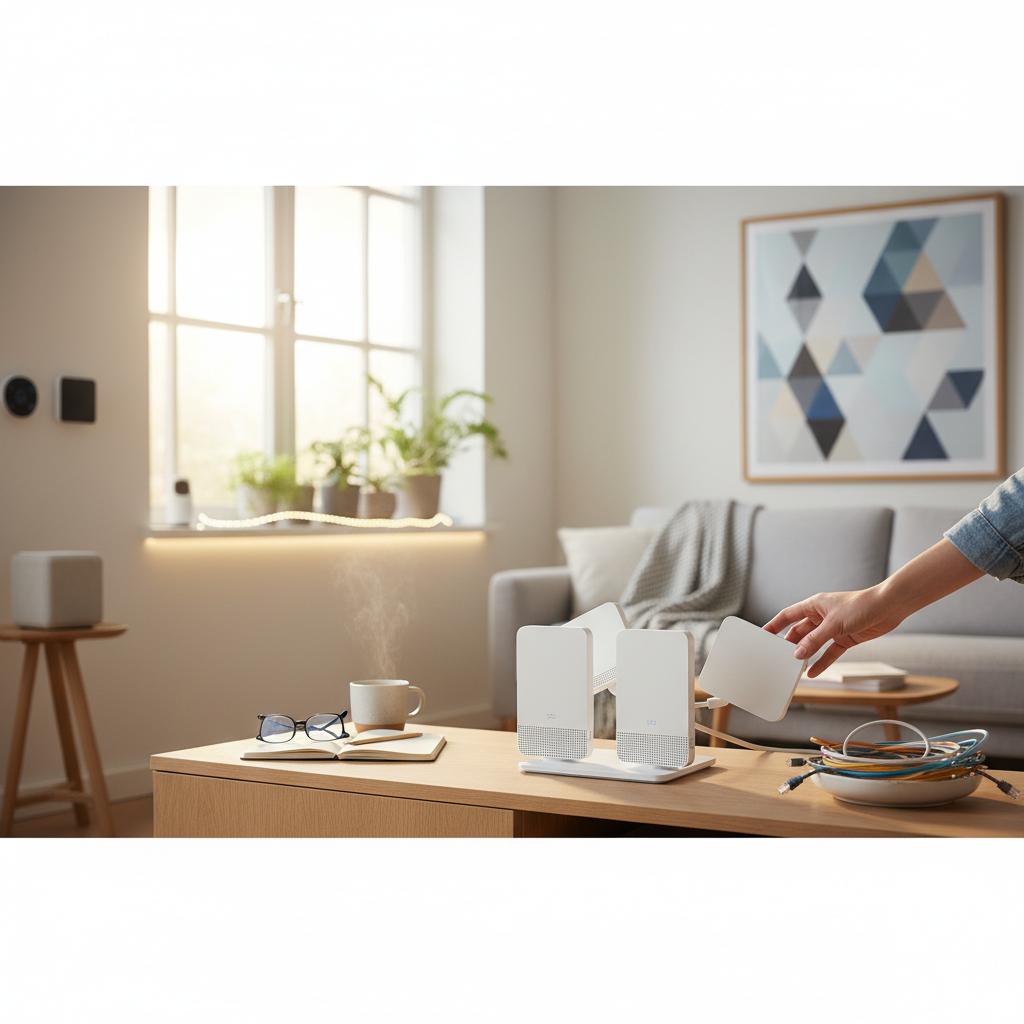
This guide will walk you through the essential steps to evaluate your current network, identify areas for improvement, and implement practical solutions to create a powerful and stable foundation for all your smart home innovations.
Understanding Your Current Network
Before embarking on any upgrades, it is crucial to understand the capabilities and limitations of your existing network setup. A clear picture of your current infrastructure will help you make informed decisions about necessary changes.
Internet Service Provider (ISP) and Speed
Your internet connection is the gateway for most of your smart devices to interact with cloud services and receive updates. Check your internet plan's advertised download and upload speeds. Use online speed tests to verify if you are consistently receiving the speeds you pay for. Factors like peak usage times and the number of connected devices can impact real-world performance. While many smart devices don't require immense bandwidth individually, a large number of them simultaneously communicating, especially for video streaming or security camera feeds, can quickly saturate a slower connection.
Router Types and Placement
Your wireless router is the central hub for your home's Wi-Fi network. Its age, specifications, and physical placement significantly affect signal strength and coverage. Older routers may not support the latest Wi-Fi standards, offering slower speeds and less efficient communication. Router placement is equally critical: avoid placing it in a closet, behind large appliances, or in the corner of your home. Central, elevated locations, free from obstructions, generally provide the best coverage.
Identifying Dead Zones
Dead zones are areas in your home where Wi-Fi signals are weak or nonexistent. These are common in larger homes, multi-story residences, or houses with dense building materials (like brick or concrete). Use Wi-Fi analyzer apps on your smartphone or dedicated network tools to map signal strength throughout your home. Identifying these zones will guide you in determining where network extenders or a mesh system might be most beneficial.
Essential Upgrades for Smart Home Connectivity
Once you've assessed your current setup, you can pinpoint the most impactful upgrades to enhance your smart home's connectivity.
Router Upgrade Considerations
If your router is several years old, upgrading is likely the single most impactful improvement. Look for routers supporting the latest Wi-Fi standards, such as Wi-Fi 6 (802.11ax) or even Wi-Fi 7 (802.11be) if future-proofing is a priority. These standards offer faster speeds, improved efficiency in handling multiple devices (OFDMA, MU-MIMO), and better battery life for connected devices. Consider dual-band (2.4GHz and 5GHz) or tri-band routers, which offer dedicated 5GHz bands, providing more bandwidth and less interference for demanding devices.
Mesh Wi-Fi Systems: The Solution for Large Homes
For larger homes or those with persistent dead zones, a mesh Wi-Fi system is often superior to a single, powerful router or traditional Wi-Fi extenders. Mesh systems consist of multiple nodes strategically placed around your home, creating a single, unified Wi-Fi network. Devices seamlessly switch between nodes, ensuring consistent coverage and strong signals everywhere. This eliminates the need to manually connect to different networks as you move through your home, a common frustration with older extender setups.
Ethernet Backhaul: Maximizing Mesh Performance
While mesh systems work wirelessly, their performance can be significantly boosted by using an Ethernet backhaul. This involves connecting your mesh nodes to each other (or to the main router) via Ethernet cables. An Ethernet backhaul dedicates the wireless spectrum to your devices, rather than using it for inter-node communication, resulting in faster speeds and lower latency across your network. This is particularly beneficial for high-bandwidth applications like 4K streaming or online gaming.
Optimizing Your Wi-Fi Settings
Beyond hardware upgrades, fine-tuning your router's settings can significantly improve network performance and stability for your smart devices.
Channel Selection and Interference
Wi-Fi signals operate on specific channels. In densely populated areas, neighboring Wi-Fi networks can interfere with yours if they use the same or overlapping channels. Most modern routers offer an auto-channel selection feature, but it's not always optimal. Using a Wi-Fi analyzer app, you can identify the least congested channels (especially in the 2.4GHz band) and manually set your router to use them. This can reduce interference and improve connection stability.
Prioritizing Traffic with QoS (Quality of Service)
Quality of Service (QoS) settings allow you to prioritize certain types of network traffic or specific devices. For a smart home, this means you can ensure your critical security cameras, smart speakers, or video streaming devices receive preferential bandwidth, even when other devices are heavily using the network. For example, you might prioritize a smart thermostat's communication or a video doorbell's live feed over a background download, ensuring essential functions remain responsive.
Separate Networks for Smart Devices (2.4GHz vs. 5GHz)
Most smart home devices, particularly older ones or those requiring longer range, operate on the 2.4GHz band. This band offers greater range and better penetration through walls but is generally slower and more prone to interference. The 5GHz band offers faster speeds and lower latency but with a shorter range. If your router supports it, creating separate SSIDs (network names) for your 2.4GHz and 5GHz bands allows you to manually connect devices to the appropriate band. Connect devices that need range (like outdoor cameras) to 2.4GHz and high-bandwidth devices (like smart TVs) to 5GHz.
Guest Networks for Security
Utilizing a guest Wi-Fi network is a smart security practice. This separate network provides internet access to visitors without giving them access to your main network, where your smart devices and personal computers reside. Some routers also allow you to isolate smart devices on their own segment or a dedicated IoT (Internet of Things) network, further enhancing security by preventing potential compromises of smart devices from affecting your more sensitive data.
Advanced Tips for a Seamless Smart Home
For those looking to push the boundaries of their smart home's connectivity, a few advanced considerations can make a significant difference.
Powerline Adapters and Wi-Fi Extenders (Pros and Cons)
While mesh systems are often preferred, powerline adapters can be a viable solution for extending wired network access to areas where Wi-Fi is weak and running Ethernet cables is impractical. These devices use your home's existing electrical wiring to transmit network data. Wi-Fi extenders can also boost signal, but they often create a separate network and can halve bandwidth, making them less ideal than mesh systems for comprehensive coverage.
Network Attached Storage (NAS) for Local Control
A NAS device can act as a central server for your home, offering local storage for media, backups, and even running smart home software. For privacy-conscious users, a NAS can host local smart home hubs or home automation platforms (like Home Assistant), allowing some smart devices to operate entirely offline or with minimal cloud interaction. This can reduce reliance on internet connectivity for basic functions and enhance data security.
The Role of a Smart Home Hub
Even with an optimized network, a dedicated smart home hub (like Apple HomeKit, Amazon Echo, Google Home, or a Zigbee/Z-Wave hub) can significantly improve device compatibility and automation capabilities. Hubs translate between different smart device protocols and can process local commands, reducing network traffic and ensuring faster response times for automations, even if your internet connection experiences a temporary blip.
Security Best Practices
An optimized network is also a secure network. Protecting your smart home from unauthorized access is paramount.
Strong Passwords and WPA3
Always use strong, unique passwords for your Wi-Fi network and all smart devices. Avoid default credentials. If your router supports it, enable WPA3 encryption, which offers superior security compared to older WPA2 protocols. Regularly change your network passwords as a proactive security measure.
Firmware Updates
Keep your router and all smart devices updated with the latest firmware. Manufacturers frequently release updates that patch security vulnerabilities and improve performance. Enable automatic updates where possible, or make it a routine to check for them periodically.
Limiting Device Access
Consider implementing MAC address filtering on your router, which allows only specific devices to connect to your network. While not foolproof, it adds an extra layer of defense. Also, be judicious about which smart devices you connect to the internet, and research their privacy policies before purchase. If a device offers local control, prioritize that over cloud-dependent operation.
Creating a robust and secure home network is an ongoing process, but the effort invested pays dividends in the form of a seamless, responsive, and reliable smart home experience. By understanding your network's fundamentals, making strategic upgrades, and implementing best practices, you can unlock the full potential of your connected living space. If you encounter significant technical challenges, consult a qualified networking professional for assistance.
More from home living

Smart Strategies for a Seamlessly Organized Bathroom Space
Transform your bathroom from cluttered chaos to a serene, functional space. Discover practical methods for organizing toiletries, linens, and cleaning supplies, enhancing daily routines and maintaining a tidy environment with ease.
Selecting and Using Efficient Air Purifiers for Improved Indoor Air Quality
Discover how air purifiers can significantly enhance your home's indoor air quality. Learn about common pollutants, essential filtration technologies, and key factors for choosing the right device to create a healthier living environment.
Smart Home Solutions for Enhanced Accessibility and Independent Living
Discover how smart home technology can significantly enhance accessibility and foster independent living for individuals of all abilities. Explore practical solutions for greater comfort, safety, and convenience in your daily routines.

Mastering Stain Removal: A Guide to Restoring Household Fabrics and Surfaces
Discover practical strategies for tackling common household stains on various fabrics and surfaces. This comprehensive guide provides actionable advice to help maintain the cleanliness and appearance of your home effectively.